
Sharing & Payments
Client Portal
The client portal lets your clients check their session history and balance anytime, without needing to create an account or log in. Just share a link.
How it works
Every client gets a unique, shareable link to their portal page. What they see depends on their billing type:
- Package clients see their remaining credits, package details, and session history
- Per-session and monthly clients see their session history (packages section is hidden)
- All clients see your business name and branding
counted-in.app
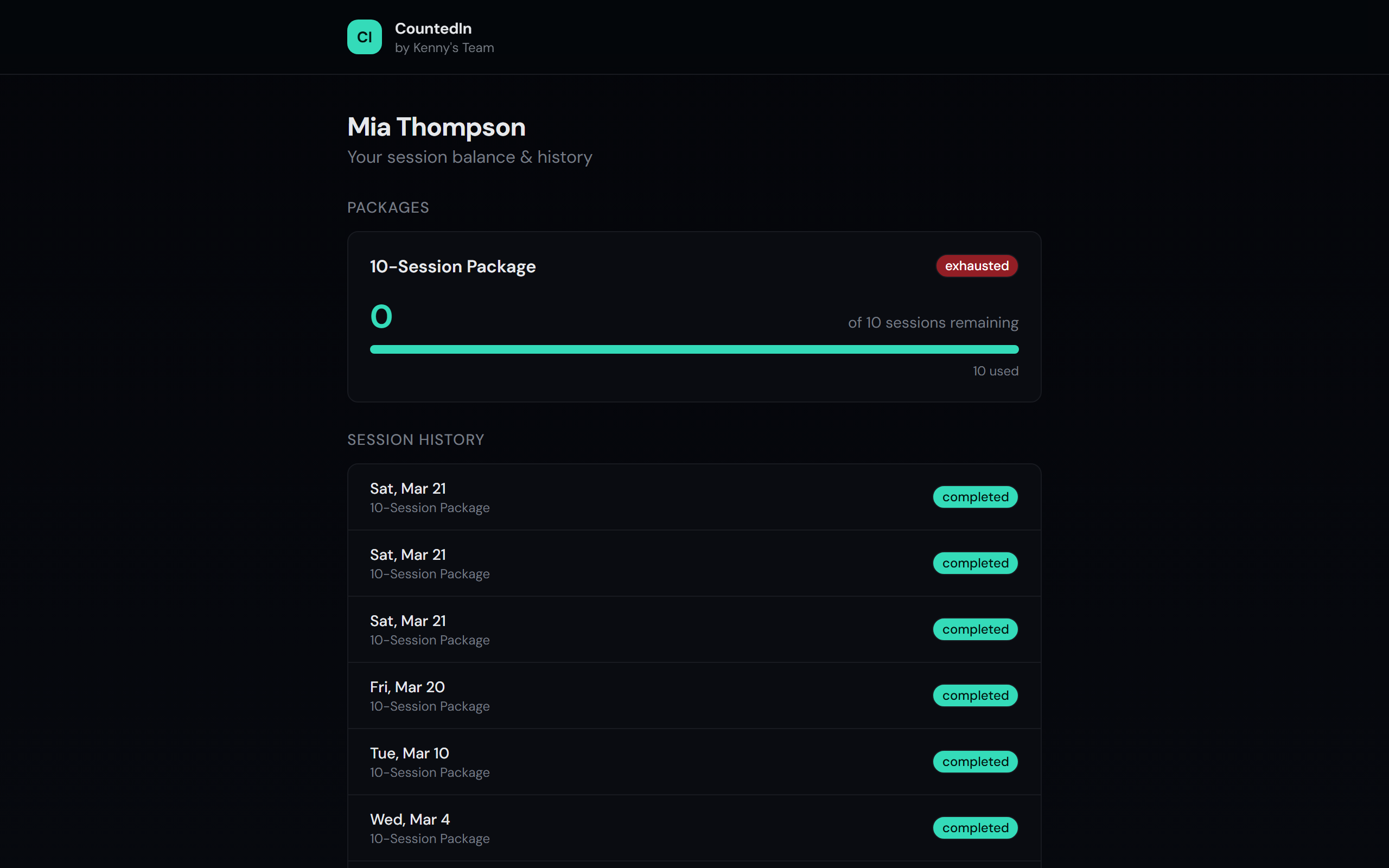
This solves the most common question you get from clients: "How many sessions do I have left?" Instead of texting back and forth, just share the link once and they can check anytime.
Sharing the portal link
Open the client's profile
Navigate to the client in your client list and click into their profile.
Find the portal link
Look for the Share Balance Link button in the client's profile.
Click it to copy the unique URL.
Send it to your client
Text, email, or message the link to your client. They can bookmark it for easy access.
The link stays the same and always shows their latest information.
Tip
The portal link updates in real time. As soon as you log a session, the client's
portal page reflects the change. No delay, no refresh needed.
Automatic session receipts
When you log a session, CountedIn can automatically email the client a receipt showing:
- Session date and status
- Remaining credits after the session (for package clients)
- A link to their portal for full details
Note
Session receipts require the client to have an email address on file. Add it when
creating the client, or update their profile later.
Revoking access
If you need to revoke a client's portal access, you can regenerate their link from the client profile. The old link will stop working immediately and a new one is created.