
Notifications
CountedIn keeps you informed with automated alerts so you never miss an expiring package, low credit count, or overdue payment.
Notification types
There are five types of notifications, covering both package and monthly billing:
Low credit alerts
Sent when a package client's credits drop to 1-2 sessions remaining (customizable threshold). This is your heads-up to talk to the client about purchasing another package.
Exhausted package alerts
Sent when a package reaches 0 remaining credits. Includes a prompt to create a new package or send a payment link.
Expiry alerts
Sent 7 days before a package's expiration date. Gives you time to remind the client to use their remaining sessions or renew.
Payment due alerts
For monthly clients: sent when a payment is coming due within the next 7 days. Gives you a heads-up to follow up with the client.
Payment overdue alerts
For monthly clients: sent when a payment is past due. Highest priority alert that appears at the top of your Needs Attention list.
Managing your preferences
Control exactly which notifications you receive in Settings > Notifications.
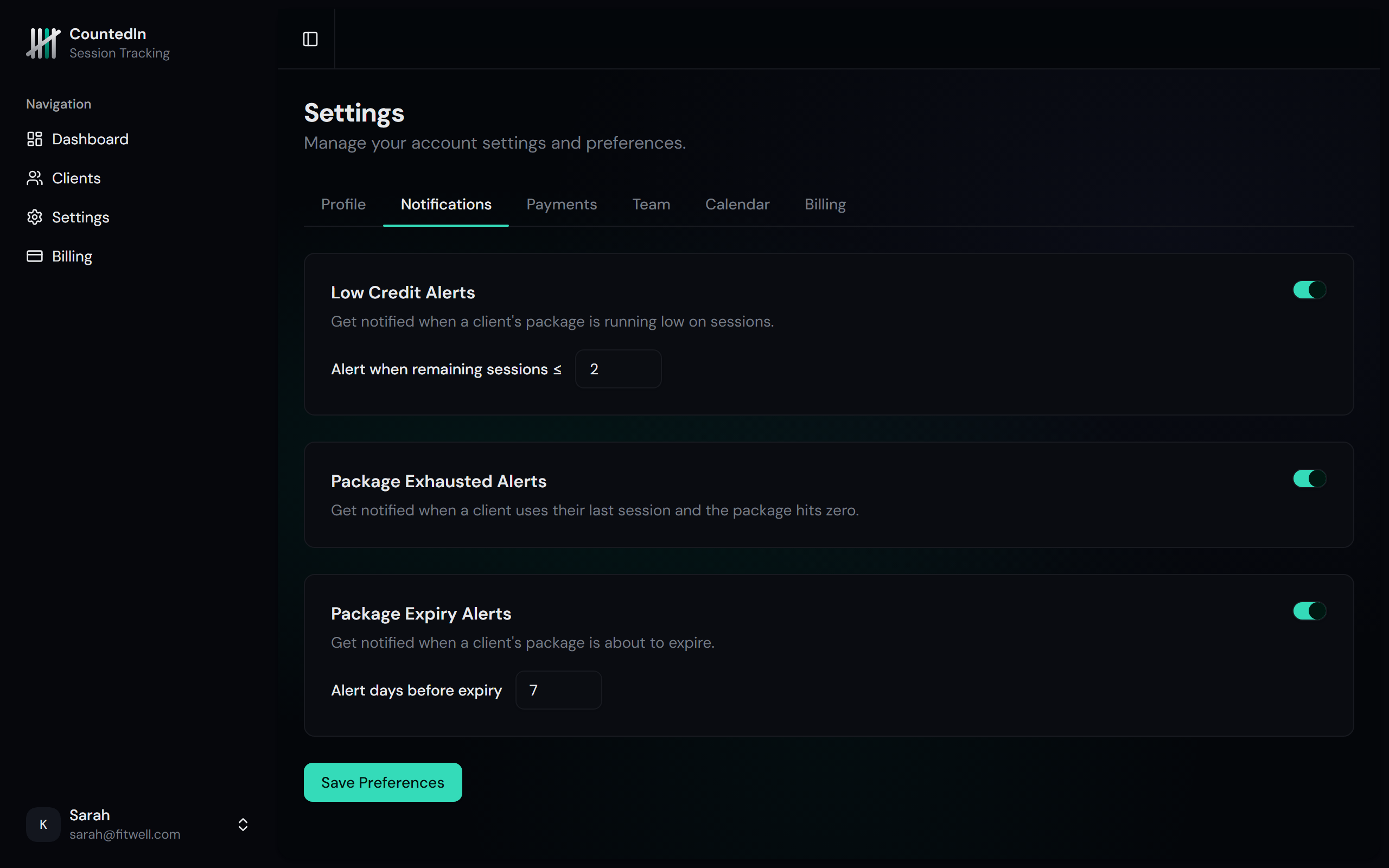
For each notification type, you can:
- Turn it on or off - disable any notification you don't want
- Customize thresholds - for low-credit alerts, set whether to notify at 1, 2, or 3 remaining sessions
Dashboard integration
All notifications feed into the Needs Attention section on your dashboard. This unified list combines package alerts (low credit, expiring, exhausted) with monthly billing alerts (payment due, payment overdue) and sorts them by urgency so you always know what to handle first.
No spam, no duplicates
CountedIn automatically prevents duplicate notifications. Each alert type is sent only once per trigger event:
- Package alerts - sent once per package per type (e.g., low-credit alert for a specific package is sent once)
- Monthly billing alerts - sent once per billing period (won't repeat for the same month)